Pay calendars
Finovio Users Guide / Payroll / Configuring Payroll
Pay calendars define when groups of employees are paid and how their payroll journals are presented.
Calendar details
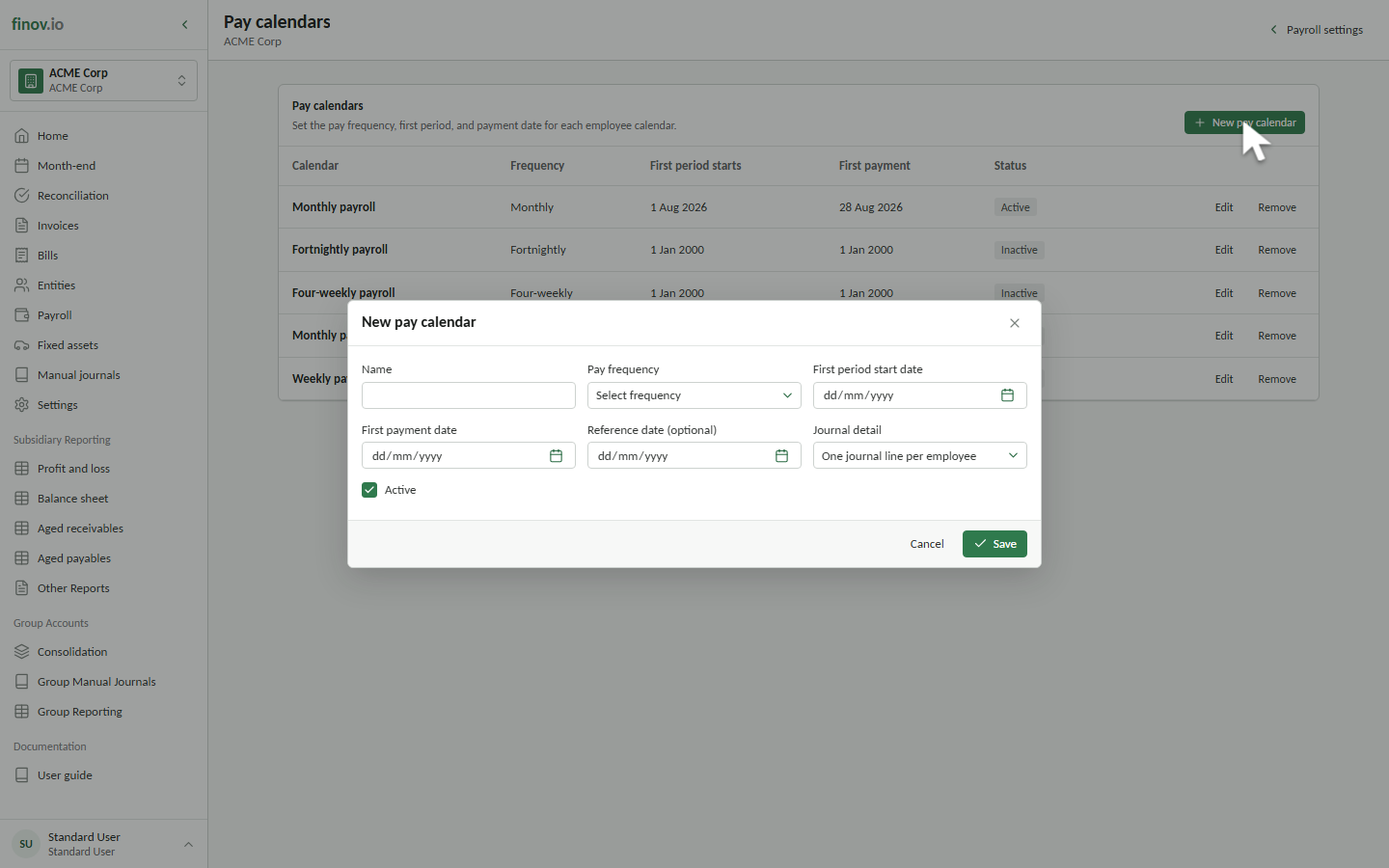
Create a calendar for each frequency the subsidiary uses. Set its name, frequency, period anchor, payment date, posting detail, and active status.
Employees are assigned to one calendar. A pay run includes only eligible employees assigned to the selected calendar, so monthly and fortnightly groups remain separate.
Journal detail
Choose per-employee detail when the journal should retain a line for each employee and account. Choose consolidated detail to group matching accounts and dimensions across the run.
The selected detail is copied to each new pay run, preserving the basis used by historical runs if the calendar later changes.