Trial balance
Finovio User Guide / Reports
The trial balance lists every account's cumulative debit, credit, and net balance as at a chosen date. Use it to confirm that the ledger balances and to investigate the entries behind an account.
In this guide
- Where to find it
- Choose the reporting date and basis
- Reading the report
- Confirm the ledger balances
- Drill down into an account
- Export the report
Where to find it
Open Other Reports, then select Trial Balance.
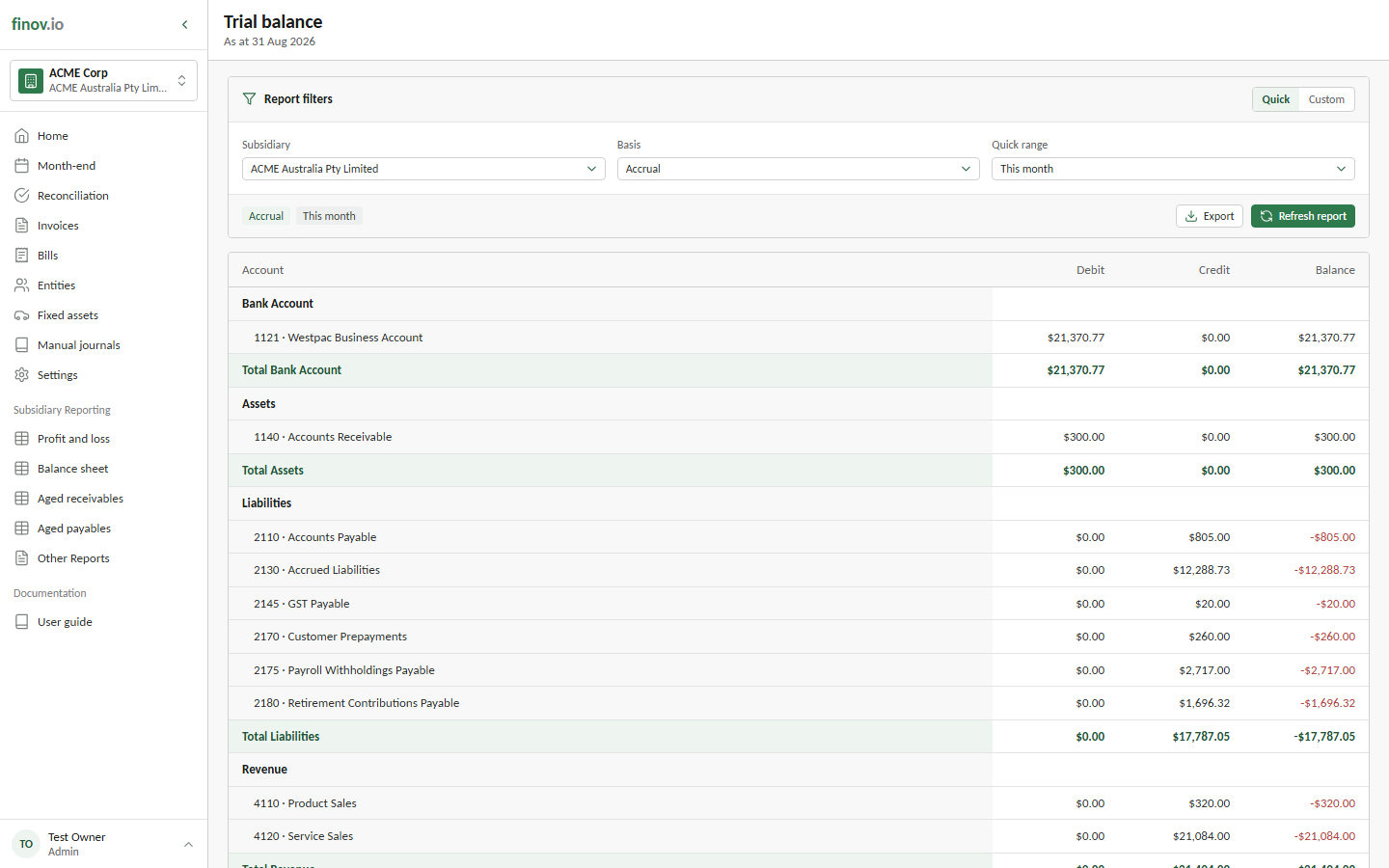
Choose the reporting date and basis
The trial balance is a point-in-time report. Select the subsidiary, reporting basis, and the date the balances should include transactions through.
- Use a Quick range to select the end of this month, last month, a financial quarter, or a financial year.
- Use Custom when you need a specific as-at date.
- Choose Accrual to include posted activity when it is recognized, or Cash to view the supported cash-basis treatment derived from settlement activity.
Select Refresh report after changing the filters. The date displayed beneath the report title confirms the active as-at date.
Reading the report
Accounts are grouped by accounting category. Each account and category total has three values:
| Column | Meaning |
|---|---|
| Debit | Cumulative debits posted to the account through the as-at date. |
| Credit | Cumulative credits posted to the account through the as-at date. |
| Balance | Debit less credit. A negative value is a net credit balance. |
Unlike the profit and loss or balance sheet, the trial balance keeps debit and credit totals visible and lists individual ledger accounts rather than presenting only financial-statement subtotals.
Confirm the ledger balances
The final row compares total debits with total credits. A balanced ledger shows equal totals, a zero Balance, and the label Balanced.
Drill down into an account
Select a Debit, Credit, or Balance value on an account row to open its supporting transactions. Zero-value cells remain available because an account can contain entries that net to zero.
The drilldown shows opening and closing balances, entry count, journal dates and numbers, debit and credit movements, running balance, document-currency values where relevant, and the source of each entry. Search within the entries, open the drilldown in a separate window, or follow a source icon to its invoice, manual journal, fixed asset, or other available source record.
Export the report
Select Export to download the complete displayed trial balance to an Excel workbook. Inside an account drilldown, select Download Workbook to export that account's supporting entries instead.