Subsidiary details
Finovio Users Guide / Company Setup
Subsidiary details are the foundational settings for an entity: its identity, its financial calendar, and the control accounts the ledger posts to automatically.
In this guide
- Where to find it
- Identity and calendar
- Month-end settings
- Posting accounts
- Parent entity synchronization
- Lock controls
- Removing a subsidiary
Where to find it
Settings → Subsidiary details. Requires STANDARD access to edit.
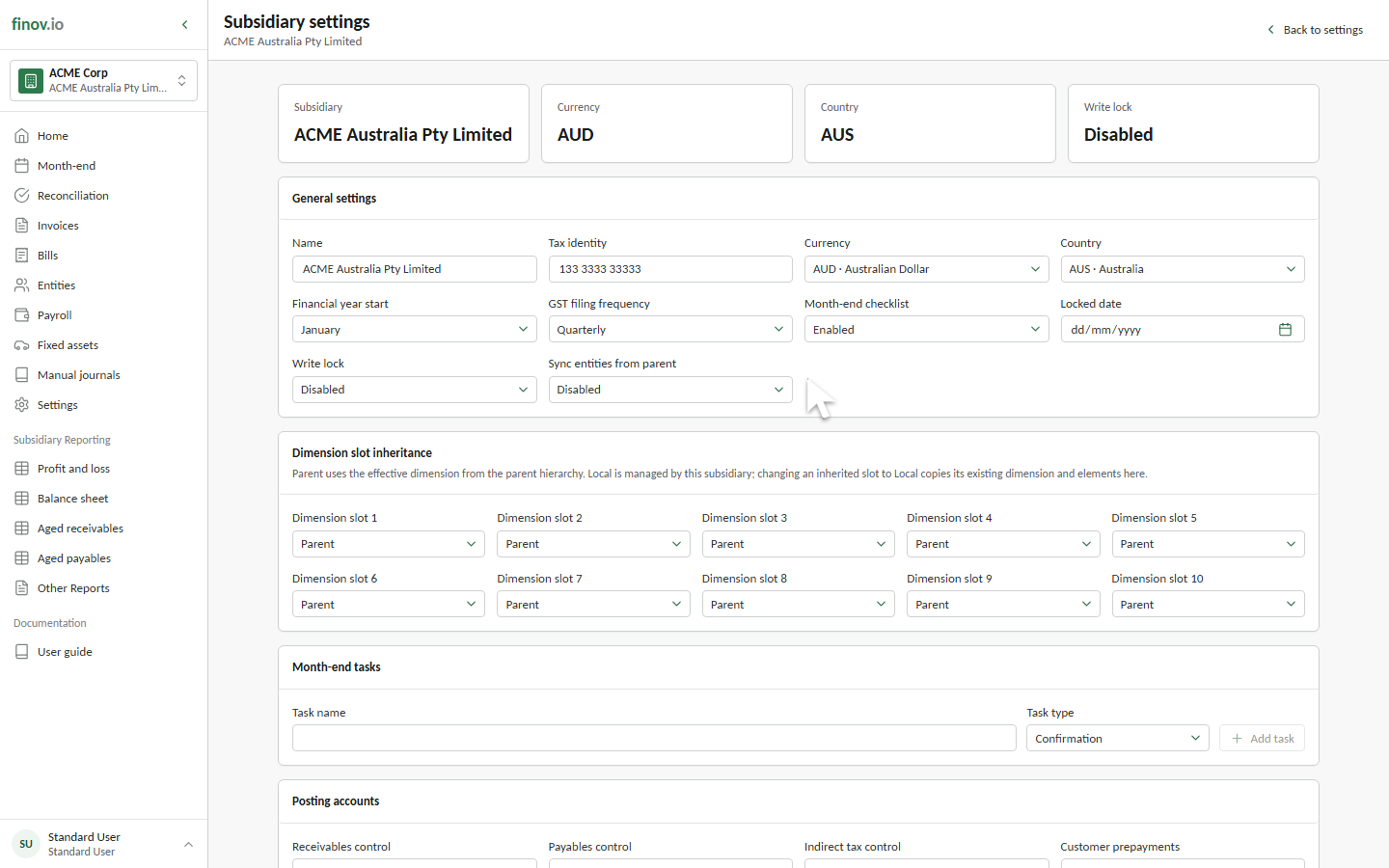
Identity and calendar
- Name: the legal or reporting name shown throughout the portal.
- Tax identity: the subsidiary's registered tax, VAT, or GST number.
- Currency: the base currency used for the ledger and reports. Foreign transactions are translated into this currency.
- Country: the subsidiary's jurisdiction.
- Financial year start: controls financial-quarter and financial-year report periods.
Review country and currency before posting live transactions. Changing either later can alter how new activity is interpreted without rewriting historical journals.
Month-end settings
Enable Month-end checklist to display this subsidiary's close tasks. A task can be:
- Confirmation: an off-system check that must be acknowledged during close.
- Manual journal: a reminder that a close adjustment must be prepared and posted.
Add recurring task templates here; the Month-end workspace uses them to organise each close.
Posting accounts
These mappings tell automated posting workflows which system account to use. Every selection must be an active posting account in an eligible category, not a header account.
| Mapping | Journals and transactions posted here |
|---|---|
| Receivables control | Sales invoices and customer credit notes use this asset control account when moved to Awaiting Payment. Customer settlement journals clear it against the bank account. |
| Payables control | Supplier bills and supplier credit notes use this liability control account when moved to Awaiting Payment. Supplier settlement journals clear it against the bank account. |
| Indirect tax control | The GST or VAT leg of taxable invoice journals and direct taxable bank-reconciliation journals. Revenue or expense receives the net amount; this account receives the tax amount. |
| Customer prepayments | Liability mapping for receipts collected before they can be applied to a customer invoice. The mapping is configurable now; automated customer-prepayment posting is not yet exposed in the portal. |
| Supplier prepayments | Asset mapping for payments made before a supplier bill is available. The mapping is configurable now; automated supplier-prepayment posting is not yet exposed in the portal. |
| Payroll withholdings payable | Liability for PAYE, PAYG, and other employee amounts withheld by submitted pay runs for later remittance. |
| Retirement contributions payable | Liability for employer or employee KiwiSaver and superannuation contributions produced by submitted pay runs. |
| Retained earnings | Equity account that receives the net profit or loss when the final month-end checklist closes the financial year. |
| Realized FX gain | Permanent exchange gain created when a foreign-currency receivable or payable settles at a more favourable rate than its recognition rate. |
| Realized FX loss | Permanent exchange loss created when settlement occurs at a less favourable rate. |
| FX rounding | Small residual differences on foreign-currency settlements and approved minor invoice-settlement adjustments. |
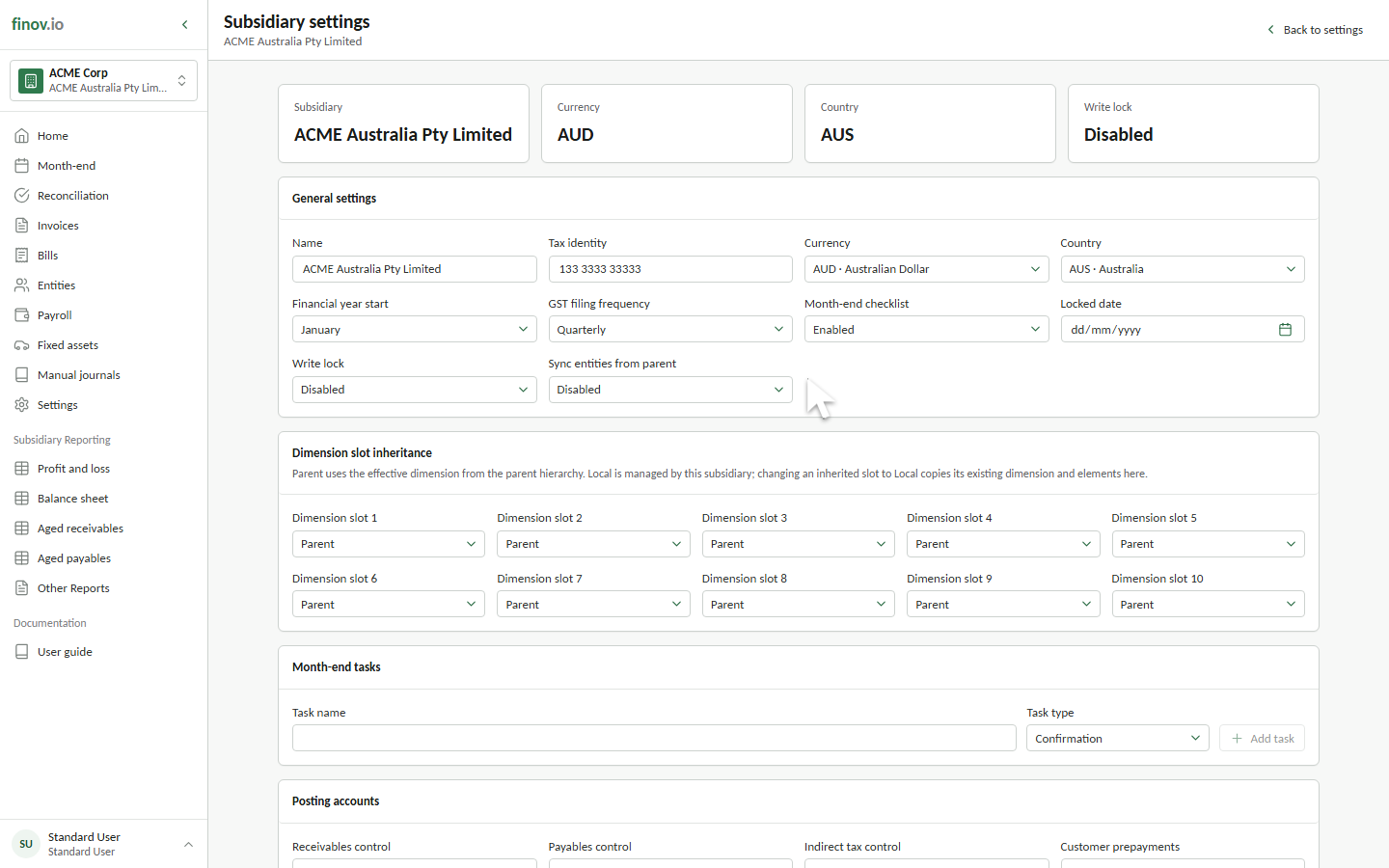
Open foreign-currency balances are revalued in reports as unrealized FX. That reporting treatment is separate from the realized gain, realized loss, and rounding mappings on this page.
Parent entity synchronization
Sync entities from parent makes a child subsidiary use its parent's entity directory. Sync chart of accounts from parent applies the same principle to account structures. Dimension inheritance is selected separately for each of the ten dimension slots, so shared and local reporting structures can coexist. While synchronization is enabled, maintain inherited records at their source parent subsidiary.
The child must have a parent and no local entities before synchronization can be enabled. When synchronization is disabled, Finovio clones the inherited entities into the child so existing references remain usable and subsequent changes become local.
The parent relationship and ownership percentage used for consolidation are managed separately from this page. See Multi-entity close.
Lock controls
- Locked date: blocks accounting postings and protected accounting changes dated on or before the selected date. Use it to seal completed periods.
- Write lock: a broader subsidiary-wide write gate. When enabled, protected writes are blocked regardless of transaction date.
See Locking a period before changing either control.
Removing a subsidiary
Tenancy administrators can remove a subsidiary from the Danger zone at the bottom of this page. Enter the subsidiary name exactly as shown to confirm removal. Finovio retains its financial records but removes the subsidiary from the tenancy.
Use removal only when a subsidiary was created by mistake. If a company has ceased trading, enable Write lock instead so its history remains available in the tenancy without allowing further changes.