Account mappings
Finovio Users Guide / Payroll / Configuring Payroll
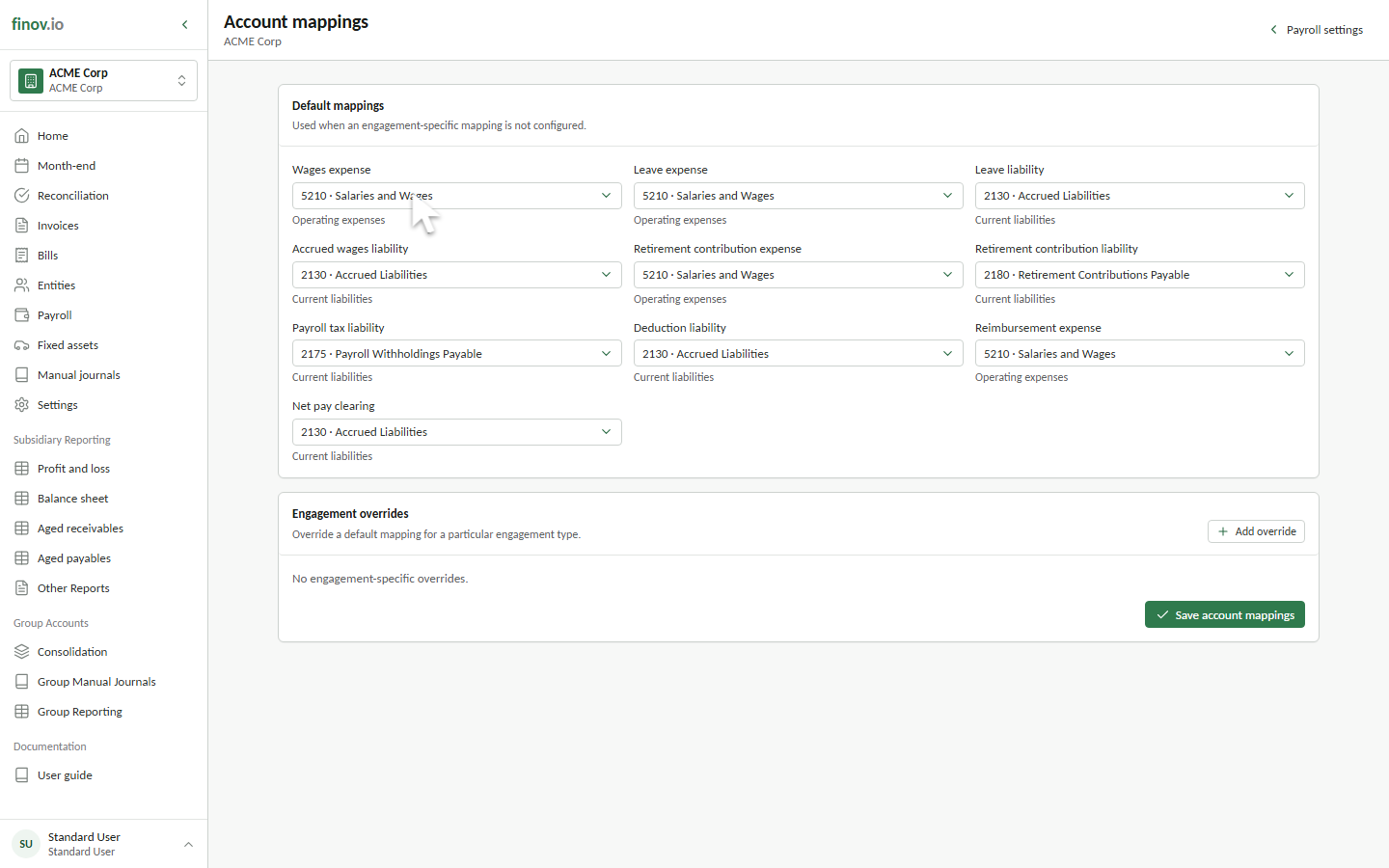
Account mappings determine where payroll calculations post in the selected subsidiary's general ledger.
Default mappings
Configure the default mapping for all engagement types first. Payroll uses these accounts for wages, leave, tax, deductions, reimbursements, retirement contributions, and net pay clearing.
Every choice must be an active posting account. Profit and loss roles accept expense accounts, while liability and clearing roles accept balance-sheet accounts.
Engagement overrides
Add an engagement-specific override when a group such as casual or full-time employees needs a different account. Payroll first checks the employee's engagement type and then falls back to the default mapping.
A specific earnings rate, deduction, or reimbursement account override takes precedence over both levels.
Review before processing
Complete every required default mapping before creating the first pay run. The draft journal preview identifies unresolved mappings before submission.