Groups and subsidiaries
Finovio User Guide / Getting Started
Finovio is multi-entity by design. The active company group and subsidiary determine which accounting workspace you are using.
In this guide
- Company groups and workspaces
- Subsidiaries
- Switch company group or subsidiary
- Confirm your context
- Parent and child subsidiaries
- What belongs to each subsidiary
- Access and availability
Company groups and workspaces
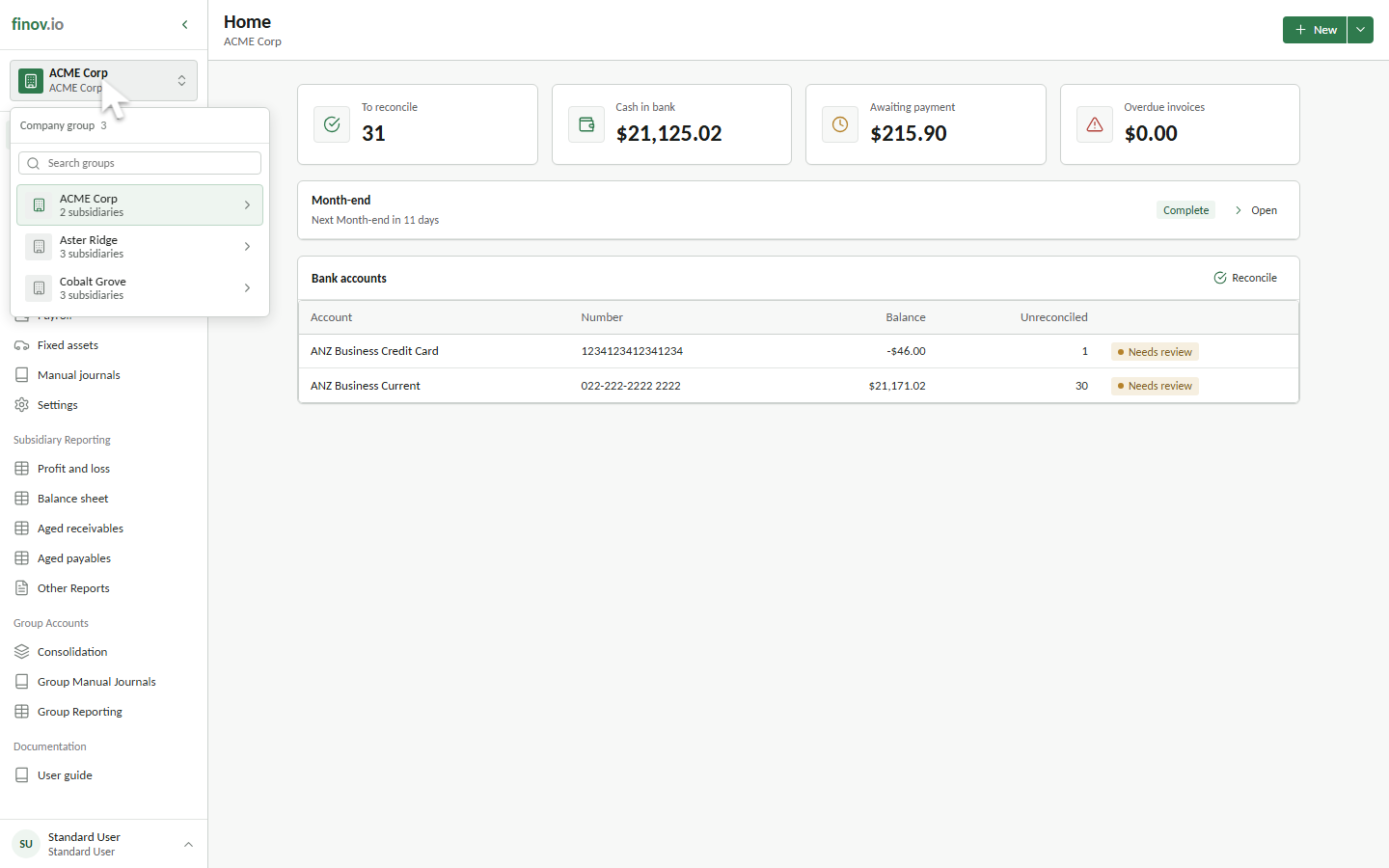
A company group is a Finovio workspace containing one or more related subsidiaries. Your account can have access to several company groups, such as separate clients or organizations. In API contracts this boundary is called a tenancy, but the portal presents it as a company group.
Subsidiaries
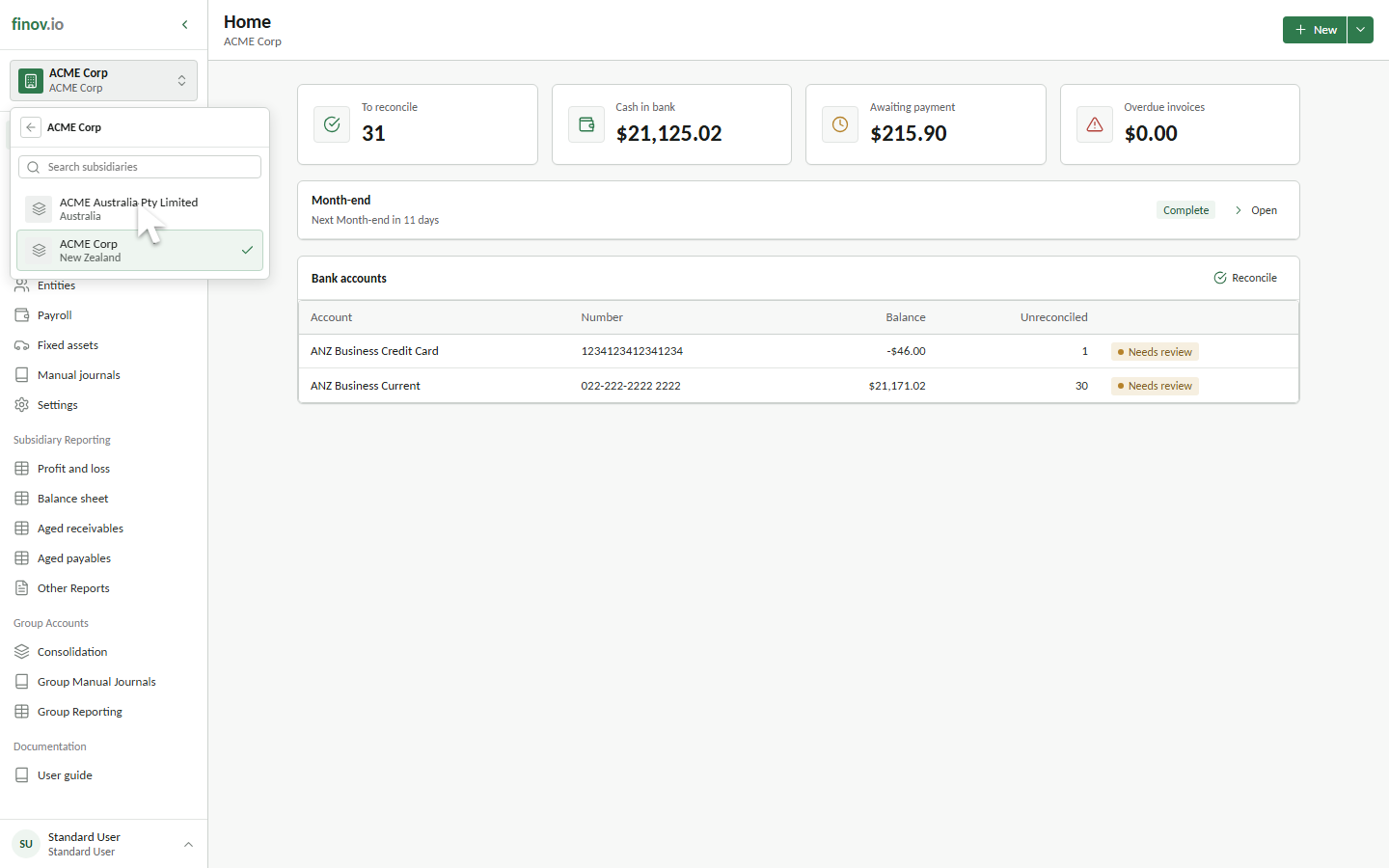
A subsidiary is an individual accounting unit inside a company group. Each subsidiary has its own books and can represent a legal company, branch, or other separately maintained accounting operation. Almost every accounting task in the portal takes place inside one active subsidiary.
Switch company group or subsidiary
Use the workspace switcher at the top of the sidebar:
- Select the current company group and subsidiary.
- Choose a company group from Company group.
- Choose one of that group's subsidiaries.
The portal keeps you in the same functional area where possible and reloads it for the new context. For example, switching while viewing Home opens Home for the selected subsidiary. The switcher also provides search fields when you have longer company-group or subsidiary lists.
Confirm your context
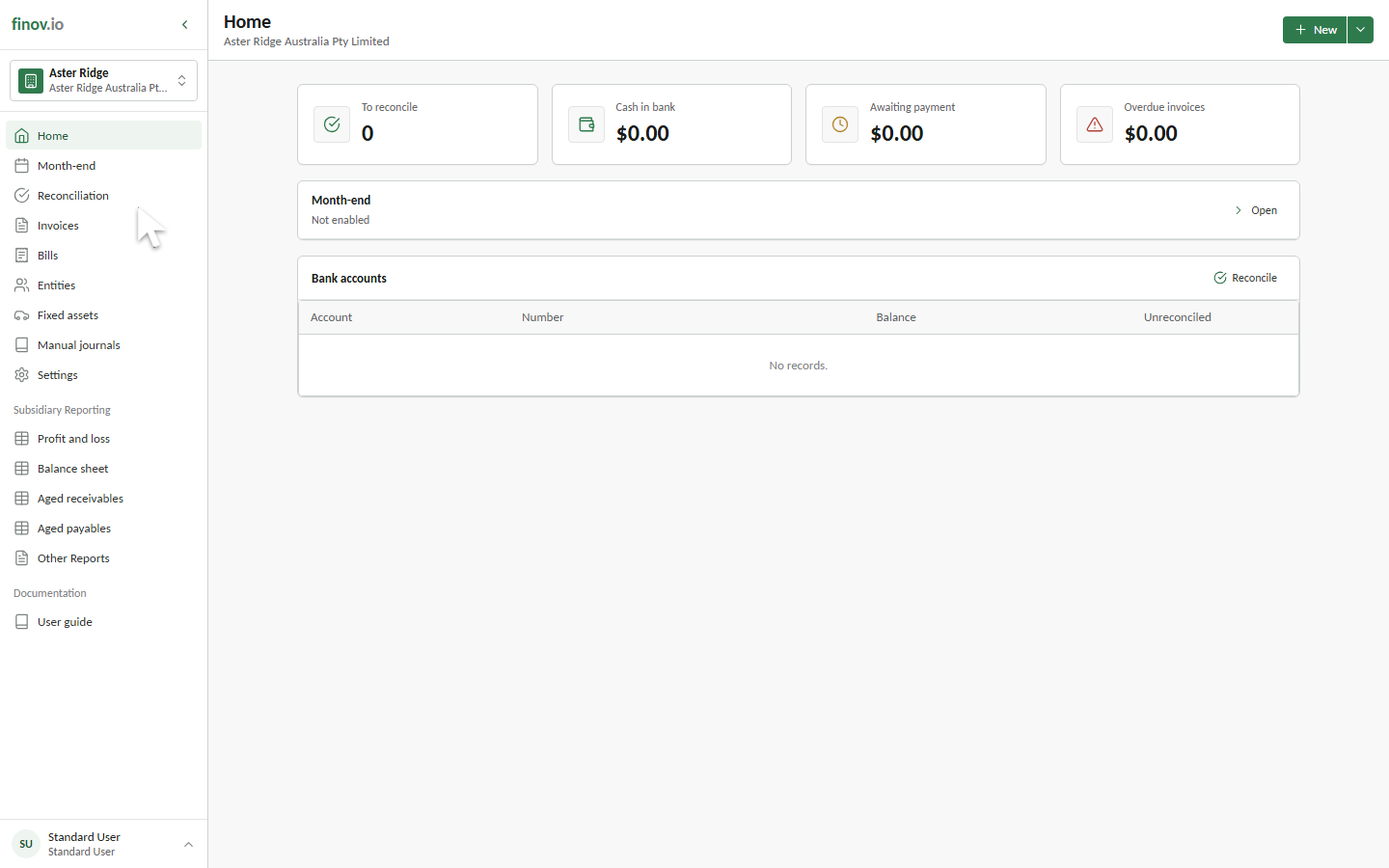
The switcher trigger always shows the active company group and subsidiary. The page heading also shows the active subsidiary beneath the workspace title. Check both before entering, changing, posting, or reporting accounting information.
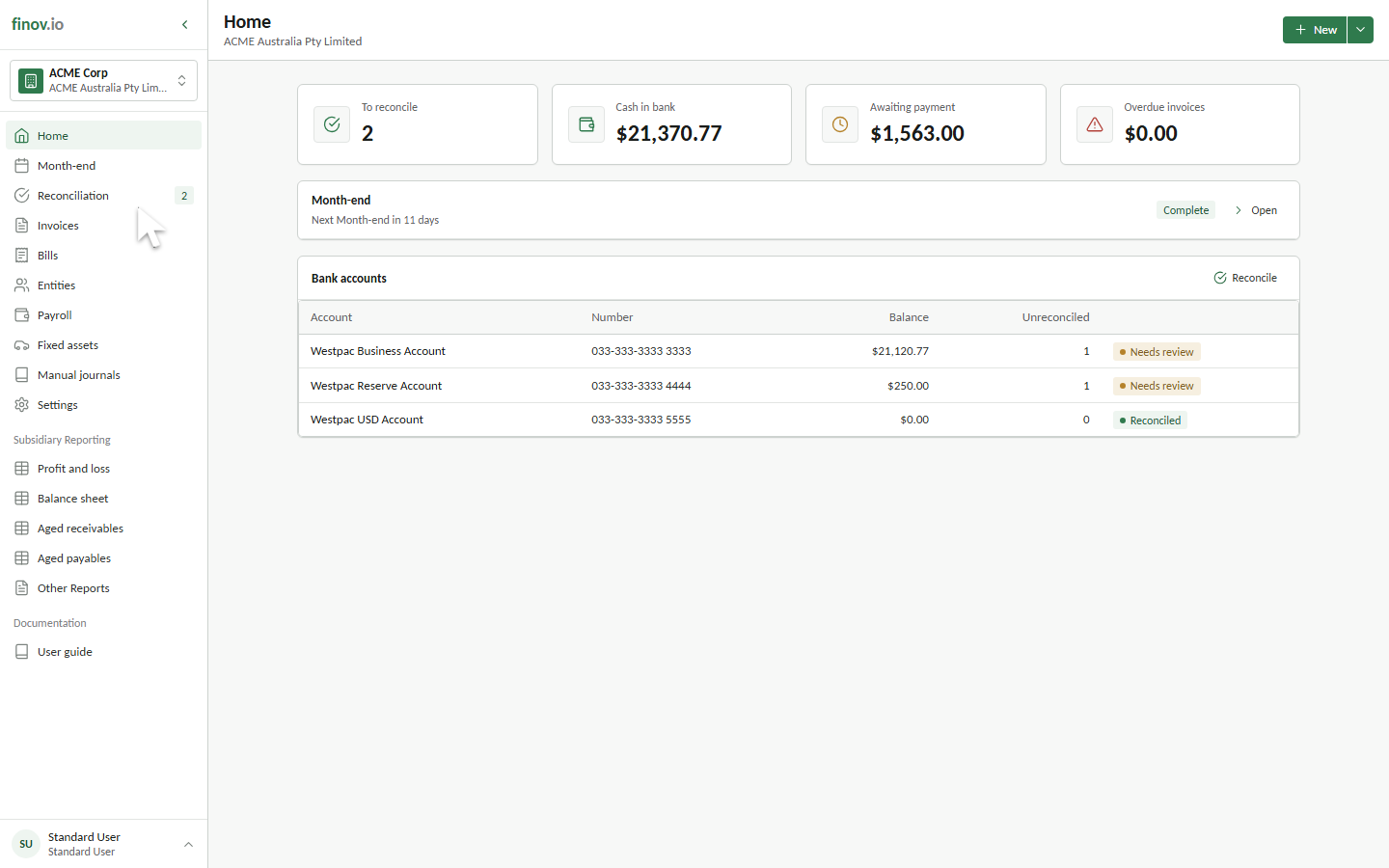
When you switch company groups, both names change and the same functional area reloads for the newly selected books.
Parent and child subsidiaries
A subsidiary can be linked to a parent subsidiary with an ownership percentage. This hierarchy supports group structure and multi-entity close workflows. See Multi-entity close.
A child subsidiary can also inherit selected master data from its parent. The chart of accounts and entity directory can be parent-driven, while each of the ten dimension slots can be inherited independently. This lets a group standardize dimensions such as Department and Project while keeping another slot local to a subsidiary. Inherited records are maintained at the parent while synchronization is enabled.
What belongs to each subsidiary
Each subsidiary maintains its own ledger, reporting currency, tax settings, bank accounts, entities, invoices, journals, fixed assets, reports, and accounting lock controls unless a supported master-data area is inherited from its parent. Switching subsidiaries changes the books being viewed; it does not combine their balances.
Access and availability
The switcher lists only company groups and subsidiaries available to your account. Your role belongs to the company group, while subsidiary security can further limit which subsidiaries a non-admin user may open. Contact a company-group administrator when an expected workspace or subsidiary is missing. See User roles and permissions.