Running monthly depreciation
Finovio Users Guide / Fixed Assets
Depreciation runs once per subsidiary per month, covering every registered asset that still has depreciation remaining.
In this guide
- Where to find it
- Running the process
- What's included and excluded
- How posting works
- Posting sequence
- Previously posted months
Where to find it
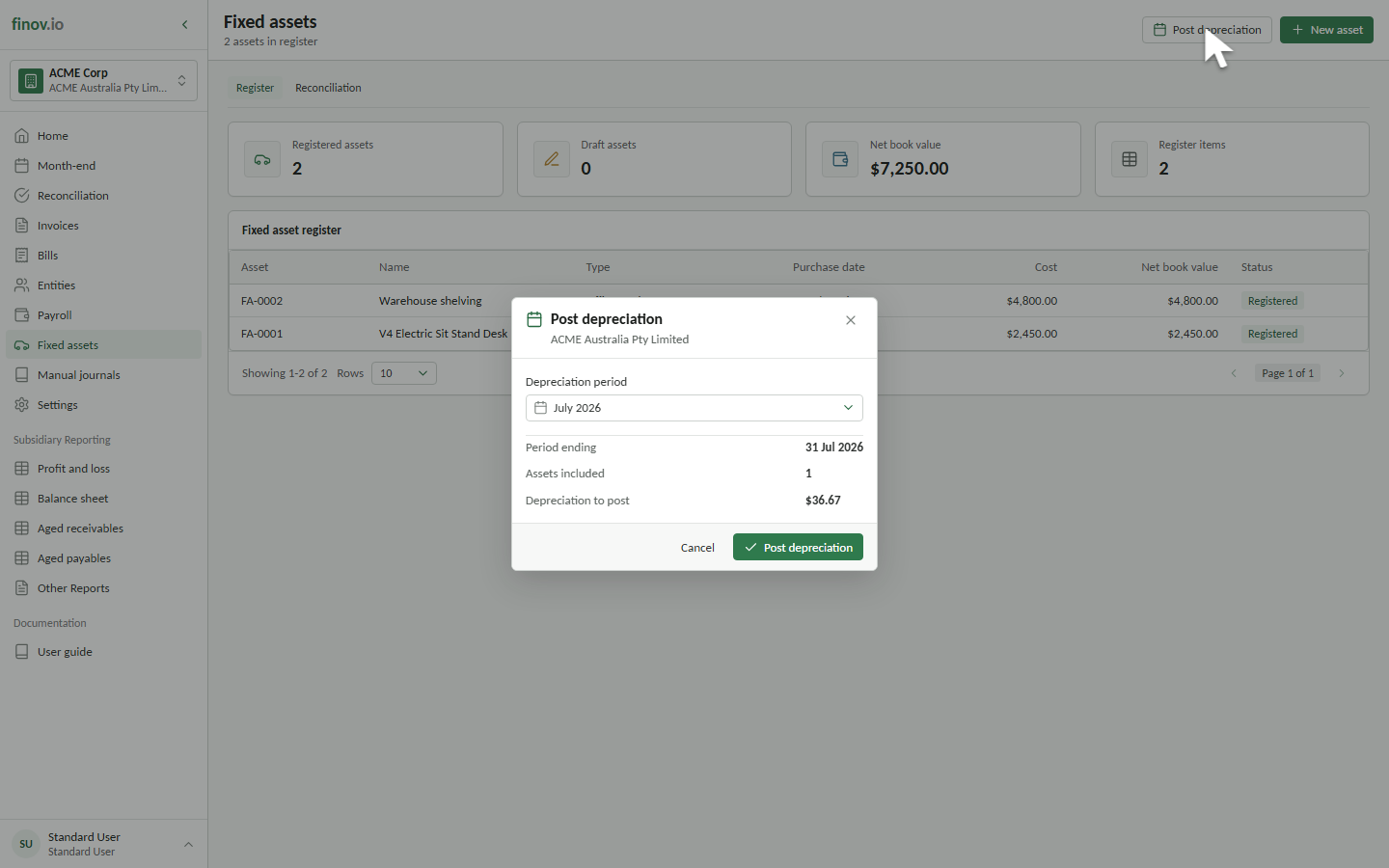
Open Fixed assets and select Post depreciation.
Running the process
The active subsidiary is used automatically. Choose the target month and review the preview, including the period end, number of assets, and total depreciation. Select Post depreciation to confirm the posting.
What's included and excluded
Registered assets whose depreciation start date has arrived and that still have a depreciable balance are included. Draft, Suspended, and Disposed assets are skipped. Assets with no remaining depreciation do not produce a schedule line.
Depreciation is capped so net book value does not fall below residual value. When the residual value is reached, the asset becomes Fully depreciated. Finovio calculates business-use and private-use portions for the schedule when a private-use percentage is present.
How posting works
Finovio generates one depreciation schedule row per included asset. It then groups the totals by depreciation expense and accumulated depreciation account pair. The journal debits depreciation expense and credits accumulated depreciation.
Net book value and accumulated depreciation on the asset are derived from posted schedule rows, including any prior accumulated depreciation. They are not maintained as separate editable balances.
Posting sequence
Depreciation must be posted month by month from the first required period. If an earlier month is missing, Finovio identifies that month and disables posting for the later period.
The month-end checklist does not post depreciation itself. Use Fixed assets → Post depreciation; the checklist updates automatically after the required run is posted.
Previously posted months
Selecting a month that already has a run returns the existing posted run and does not create a second journal. Depreciation rollback is not currently available from the customer portal. A backend rollback, where permitted, creates a reversing journal and is blocked for a run on or before the subsidiary lock date.