Users and roles
Finovio Users Guide / Company Setup
Manage who has access to your company group and choose the role each person needs.
In this guide
Where to find it
Open the user menu at the bottom of the sidebar and select Users. This option is available to Admin users.
Managing access
The Users page lets administrators invite people, choose a role, review pending invitations, change active users' roles, and remove access.
Restricting subsidiary access
Subsidiary security is off by default, so every group user can see every subsidiary subject to their role permissions. If individual users should see only selected subsidiaries:
- Turn on Restrict access under Subsidiary access.
- Select the subsidiaries each non-admin user may open.
- Clear a checkbox to remove access to that subsidiary.
- Select Save access to apply the matrix.
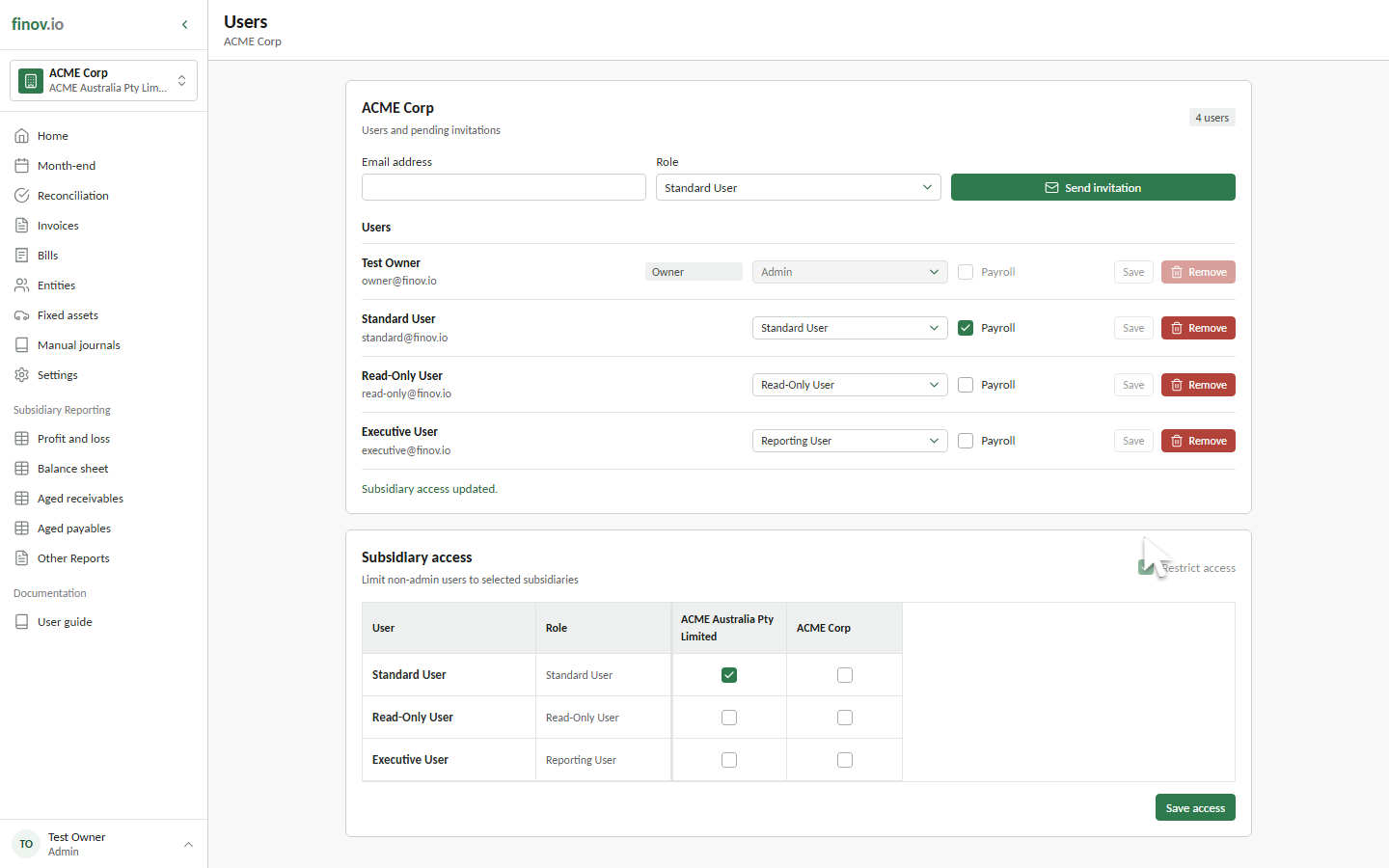
Admins always have access to all subsidiaries. Turning Restrict access off restores unrestricted subsidiary visibility without deleting the saved selections.
See User roles and permissions for the complete invitation workflow, role guidance, and access matrix.