Adding and managing entities
Finovio User Guide / Entities
Entities are the customers and suppliers your subsidiary transacts with. Each entity can hold legal and billing details, one or more people as contacts, a default payment term, and links to its accounting activity.
In this guide
- Where to find it
- Find an entity
- Create an entity
- Manage contact details
- Edit, archive, and restore
- Entities synchronized from a parent
Where to find it
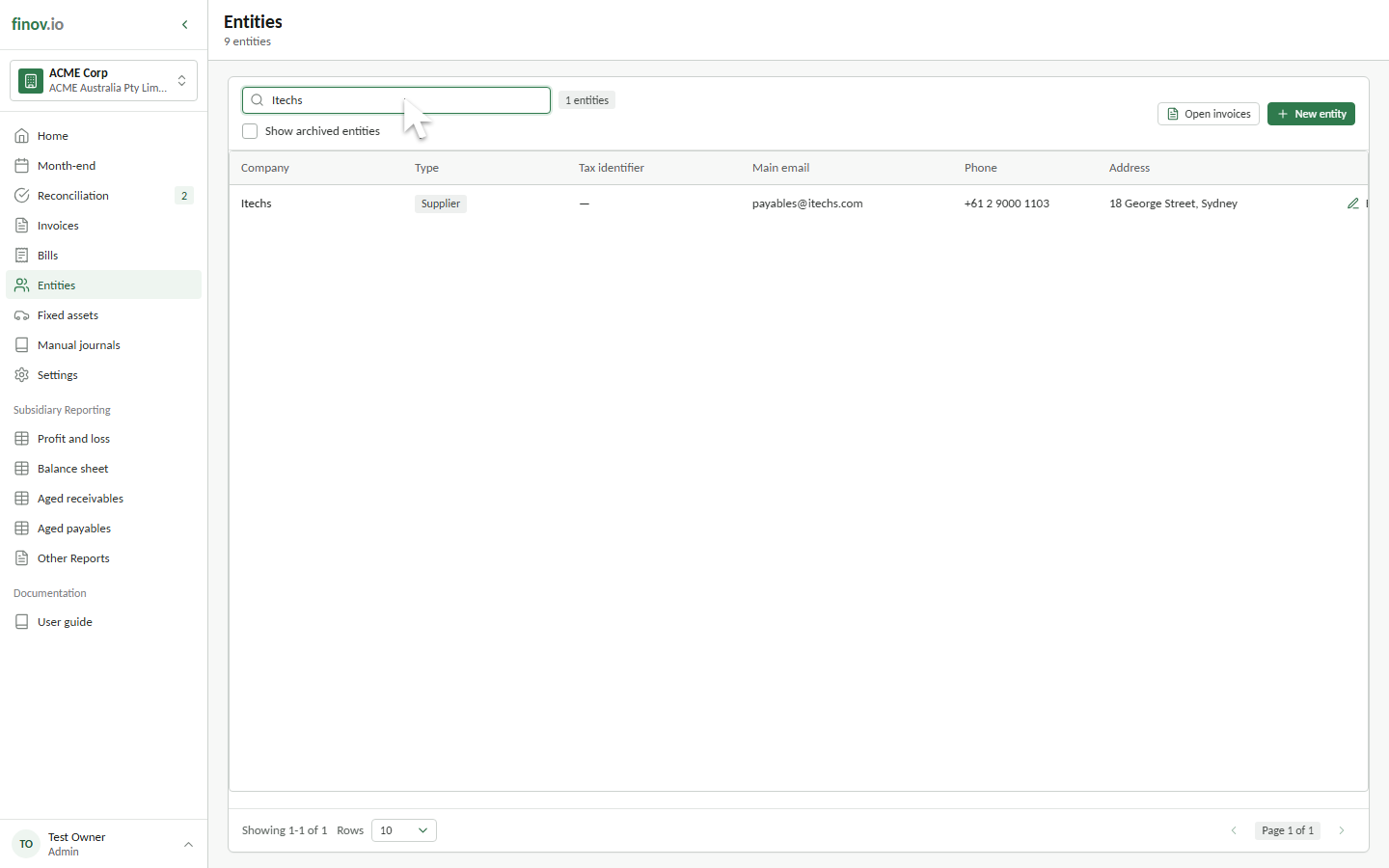
Select Entities in the main sidebar. The directory shows active customers and suppliers for the selected subsidiary.
Find an entity
Search by company name, tax identifier, address, email, invoice email, or phone number. Select a row to open the entity record and review its details, linked contacts, invoices, and posted journals.
Create an entity
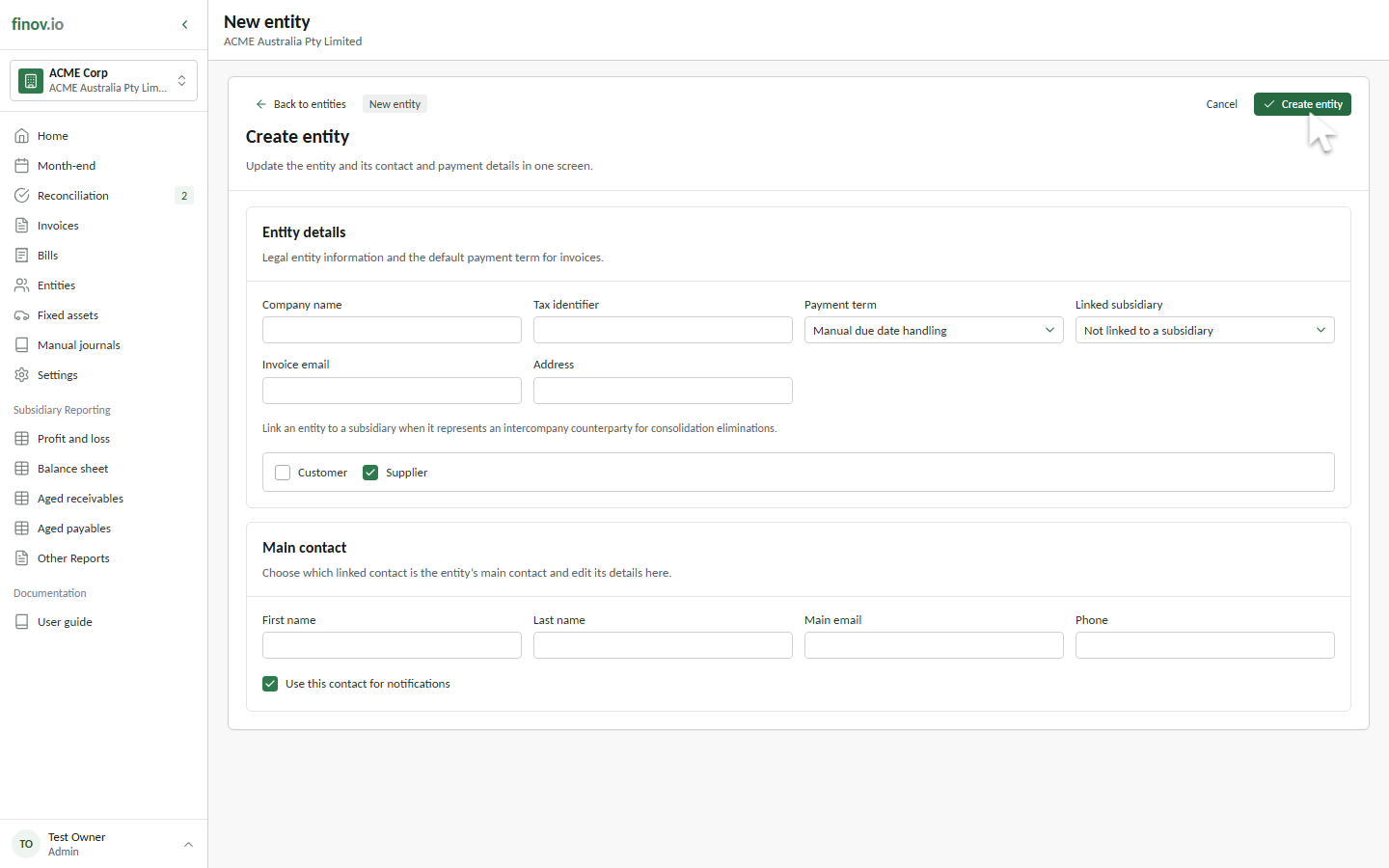
Select New entity, then enter a company name and choose Customer, Supplier, or both. A company name and at least one type are required. Customer entities also require a main email.
You can also record a tax identifier, invoice email, address, phone number, and default payment term. The payment term is offered when a new invoice is created, while the invoice email can be kept separate from the main contact's email.
Manage contact details
The Main contact section records the person Finovio treats as the entity's primary contact. Enter their name, email, and phone number, and choose whether that person should receive notifications. When an entity already has several linked contacts, use Selected main contact to choose and update the primary person. Other linked contacts remain visible on the entity record.
Edit, archive, and restore
Open an entity and select Edit entity to update its details or main contact. Archiving removes it from the active directory and day-to-day transaction pickers without deleting its invoices, journals, or contact history.
Select Show archived entities to include archived records in the directory. Use Unarchive to return an entity to active use.
Entities synchronized from a parent
A subsidiary can use the entity directory maintained by its parent. When synchronization is enabled, inherited entities remain available for transactions, but creating, editing, archiving, and restoring them is disabled in the child subsidiary. Make those changes in the parent subsidiary, or disable synchronization in Settings > Subsidiary details before creating local entities.