Reconciling to an invoice: full settlement
Finovio Users Guide / Bank Reconciliation / Reconciling to an Invoice
Match one bank transaction directly to one open invoice when the amount lines up exactly.
In this guide
Where to find it
Reconciliation, then the Invoice tab on an unreconciled transaction.
What can be settled this way
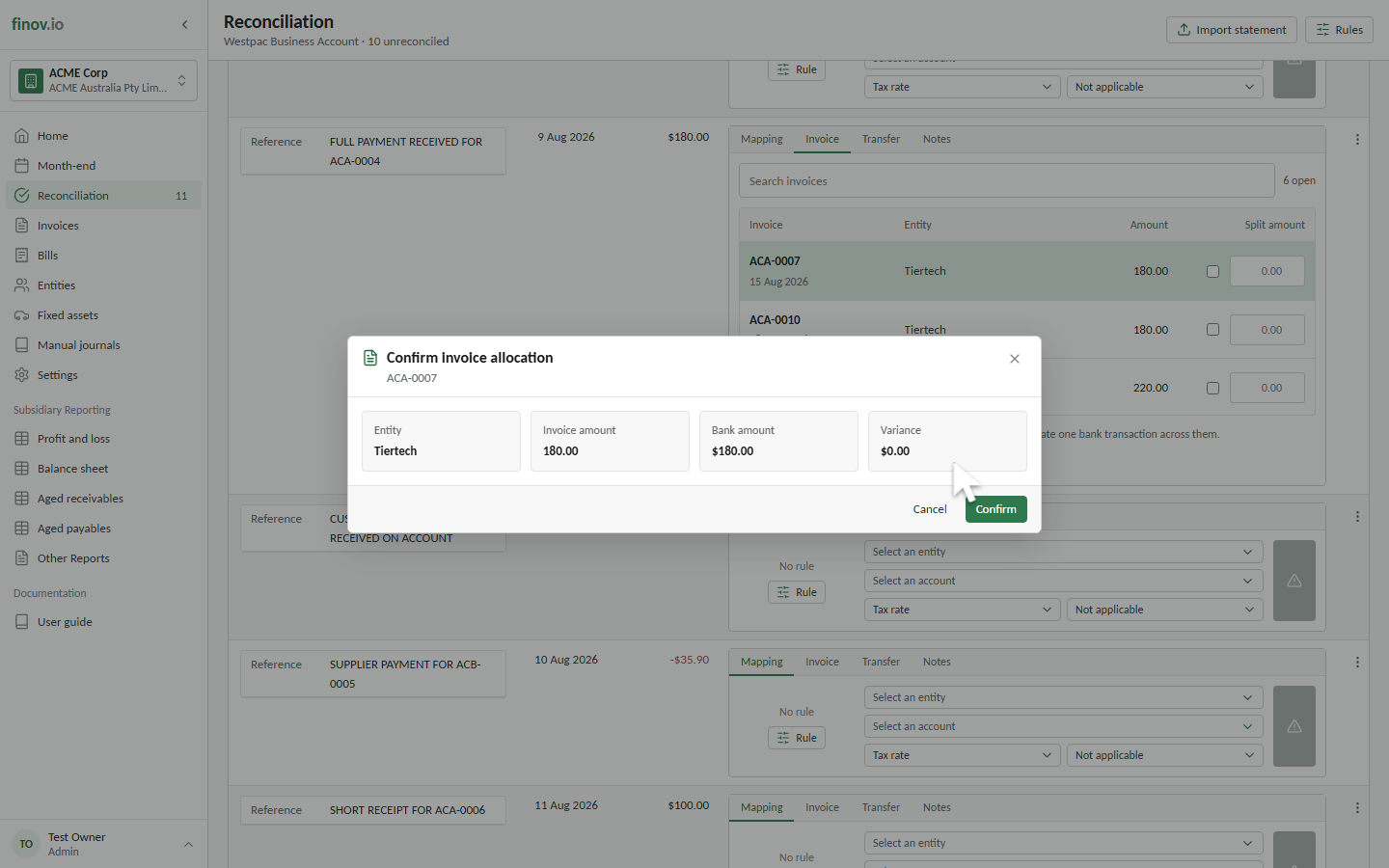
Receivable and payable invoices only, while they're Awaiting payment and still have an unsettled balance. The invoice list here is automatically filtered to candidates matching the sign of the bank transaction: positive amounts offer receivables, while negative amounts offer payables.
Settling the invoice
If the bank amount equals the invoice's remaining balance exactly, allocate the full amount directly; no further input is needed.
What posts
One balanced settlement pair: the receivable/payable control account is relieved, and the bank account is posted. No new GST posting happens here, because tax was already recognized when the invoice itself was posted. The invoice moves to Paid, and the transaction is marked reconciled.