Adding an asset
Finovio Users Guide / Fixed Assets
New assets start life as a Draft and only join the register and start depreciating once registered.
In this guide
Where to find it
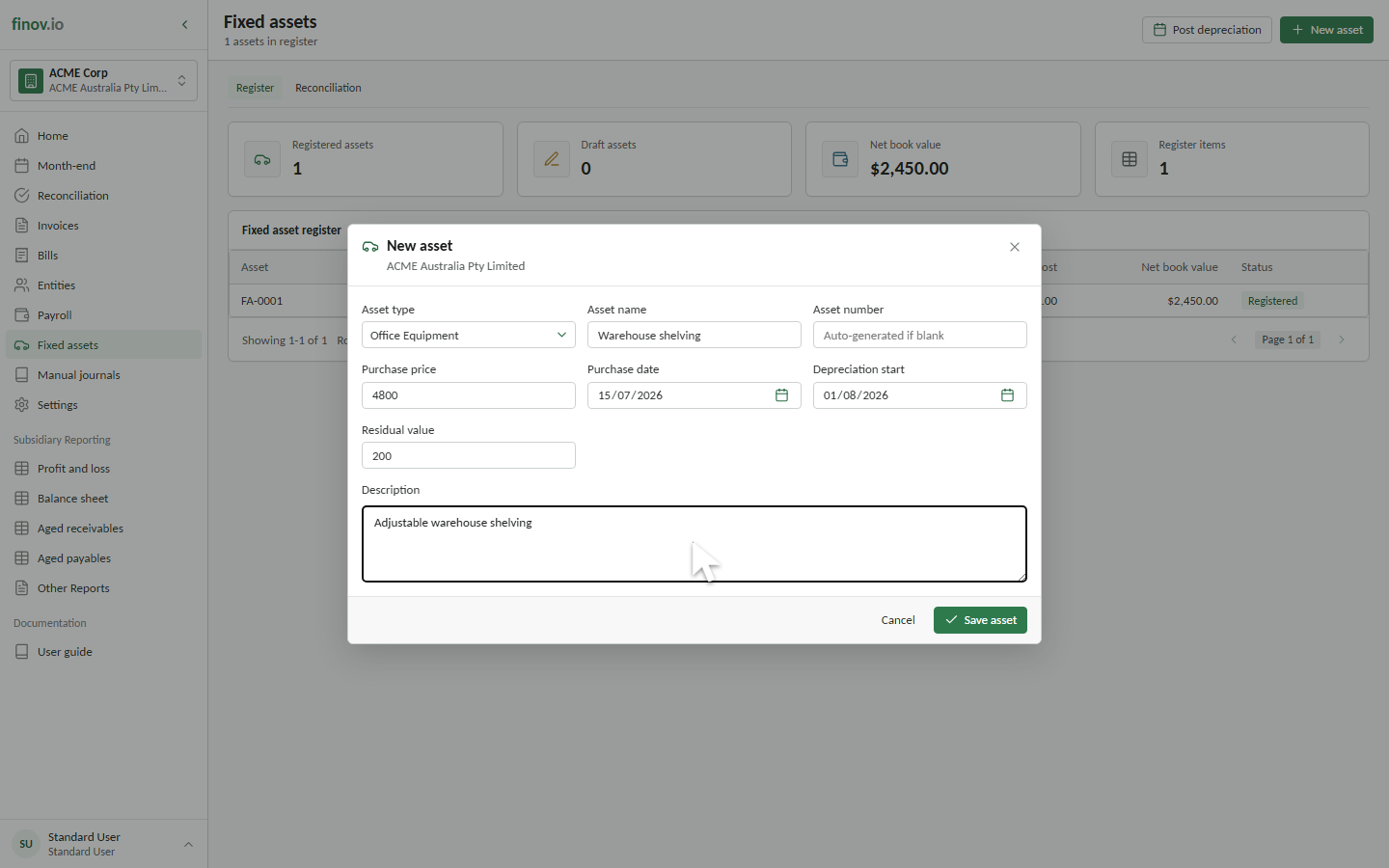
Open Fixed assets and select New asset.
Creating the draft
Choose an asset type, enter the asset details, and select Save asset. Finovio saves the asset as Draft. You can reopen a draft and select Edit draft until it is ready to register.
The customer portal currently supports direct manual entry. Opening balances and assets originating from other accounting workflows require a managed migration or integration process.
What you enter and what is inherited
You provide the asset type, name, asset number, purchase price, purchase date, depreciation start date, residual value, and description. Leave the asset number blank for an auto-generated FA-0001-style number.
Accounts, depreciation method, averaging method, rate or effective life, residual value default, and cost limit default come from the selected asset type. The asset detail page shows the saved depreciation settings and accounting position after creation.