Entity activity and payment terms
Finovio User Guide / Entities
An entity record brings its contact information and accounting activity together.
In this guide
Entity summary
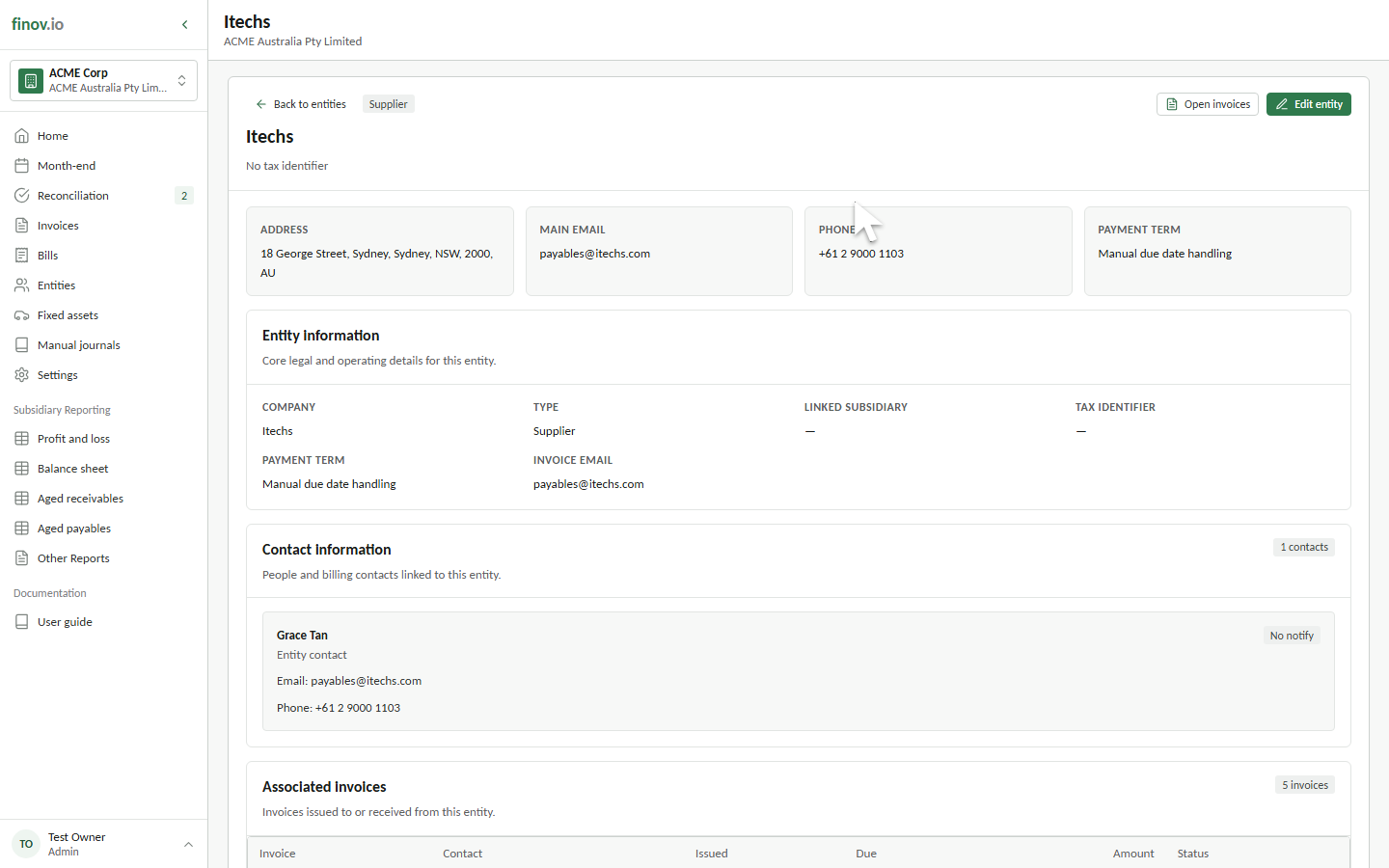
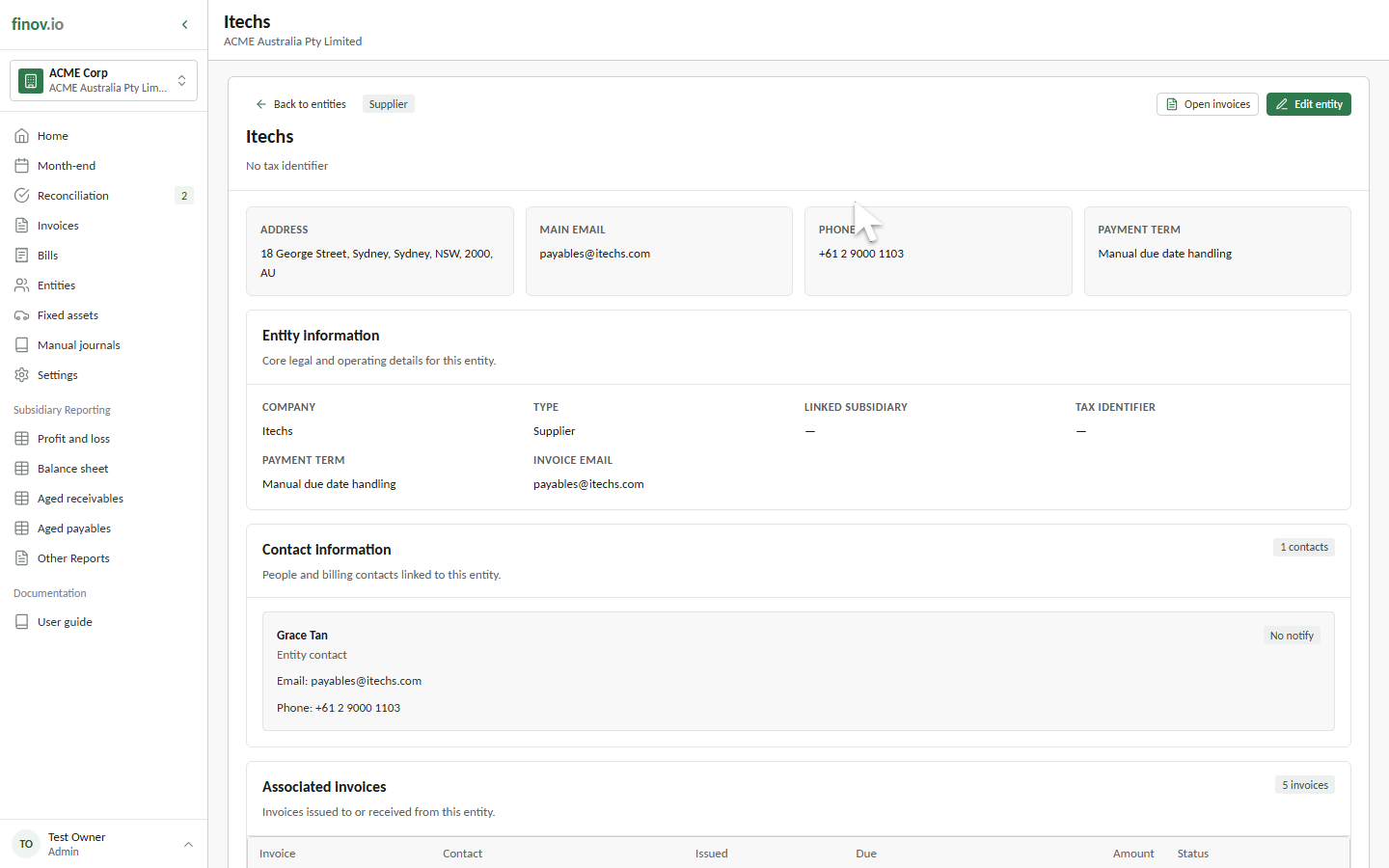
Open an entity to review its customer or supplier type, tax identifier, address, main email, phone number, invoice email, and default payment term.
Contacts
The contact section lists people linked to the entity. Badges identify the main contact and contacts selected for notifications. Email and phone details remain on the entity record even when another person becomes the main contact.
Invoices and journals
Associated invoices lists sales invoices and supplier bills issued to or received from the entity. Select a row to open the source transaction. Associated journals lists posted journals linked directly to the entity and also opens the underlying journal when selected.
Default payment terms
Setting a default payment term on an entity means every new invoice raised against it pre-fills that term and its due-date calculation. You can still override the term on an individual invoice. Leaving the entity without a default uses manual due-date handling. See Payment terms.