Bank transfers between accounts
Finovio Users Guide / Bank Reconciliation
Reconcile a transfer between two of your own bank accounts as a single linked event, rather than two unrelated transactions.
In this guide
Where to find it
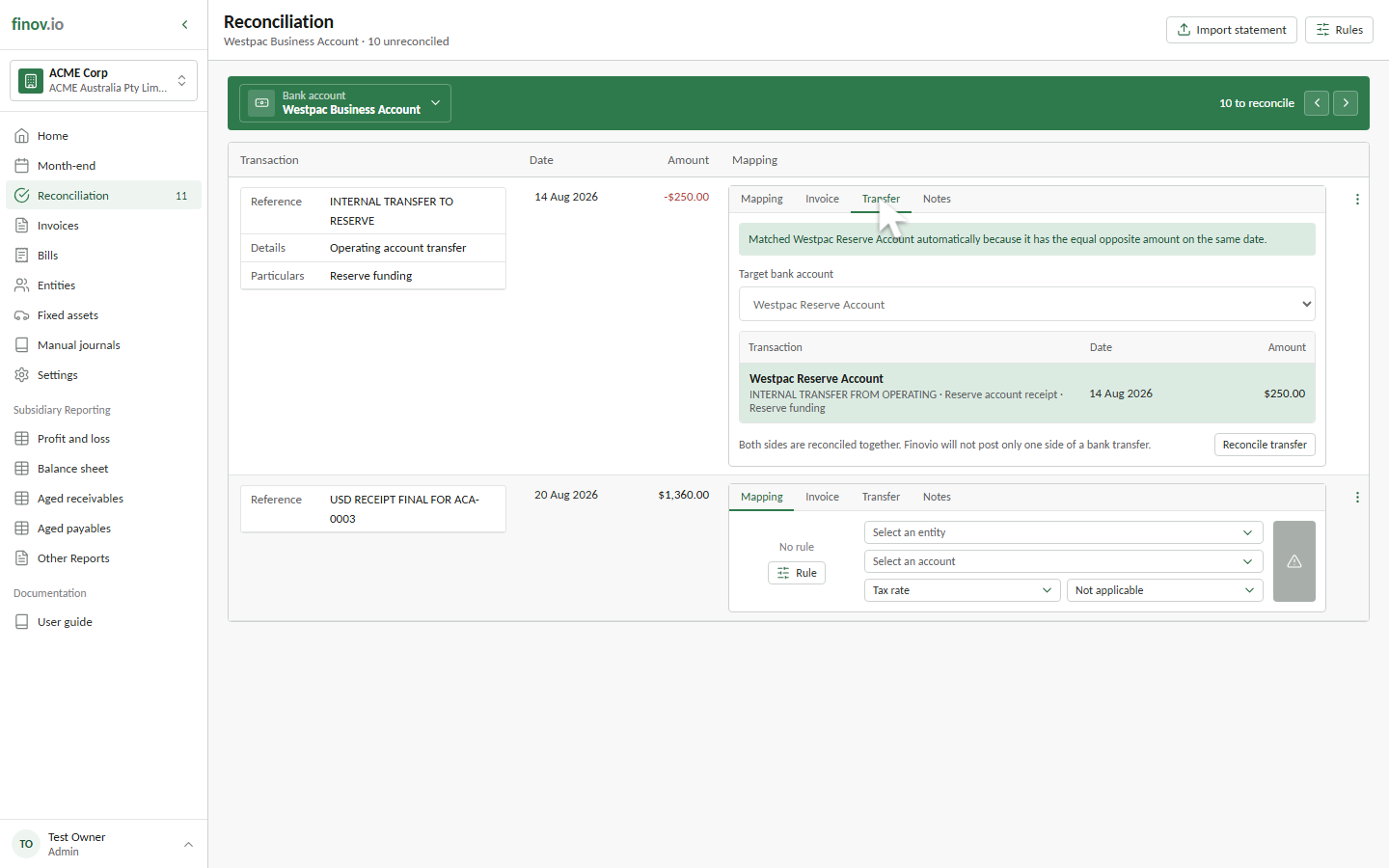
Reconciliation, then the Transfer tab on an unreconciled transaction. Both sides of the transfer must be bank accounts within the same subsidiary.
Auto-matching
If there's exactly one unmapped transaction on another bank account with the equal, opposite amount on the same date, Finovio matches it automatically.
Manual matching
If there's no unique same-date match, choose the target bank account yourself, then pick the unmapped transaction with the equal opposite amount.
What posts
One BANK journal is created, linking the source transaction and its matched counterpart. Both bank transactions are marked reconciled together. You can't reconcile only one side of a transfer, and removing or unreconciling the journal returns both sides to the unreconciled feed together.