Dimensions
Finovio Users Guide / Company Setup
Dimensions let you tag transactions with reporting context beyond the account code. Branch, department, property, project, product, and cost centre are typical examples. Keeping these views outside the chart of accounts avoids duplicating ledger accounts for every management reporting combination.
In this guide
- Where to find it
- Dimensions and elements
- Adding and editing elements
- Using dimensions on a transaction
- Inheriting from a parent subsidiary
Where to find it
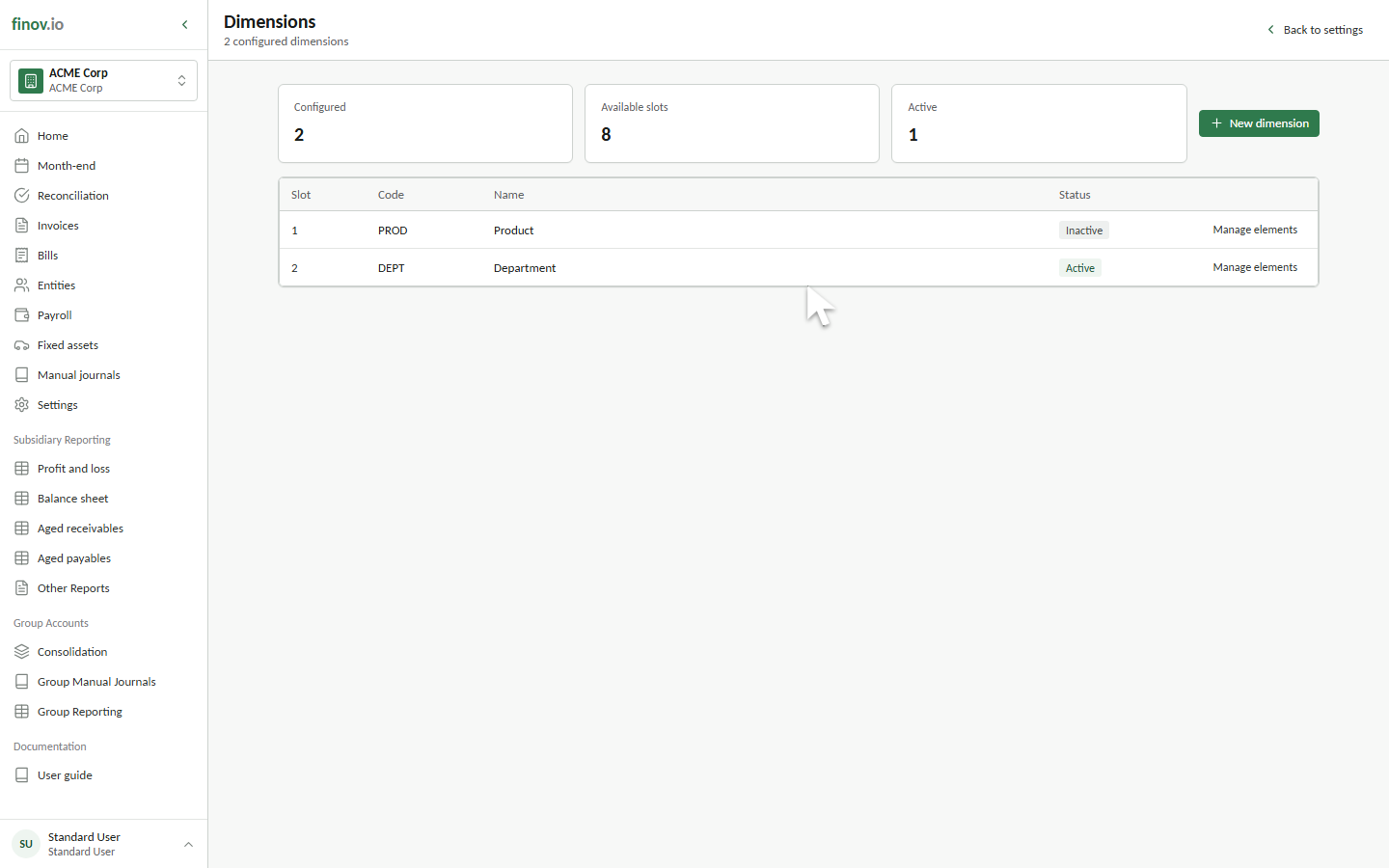
Settings → Dimensions.
Dimensions and elements
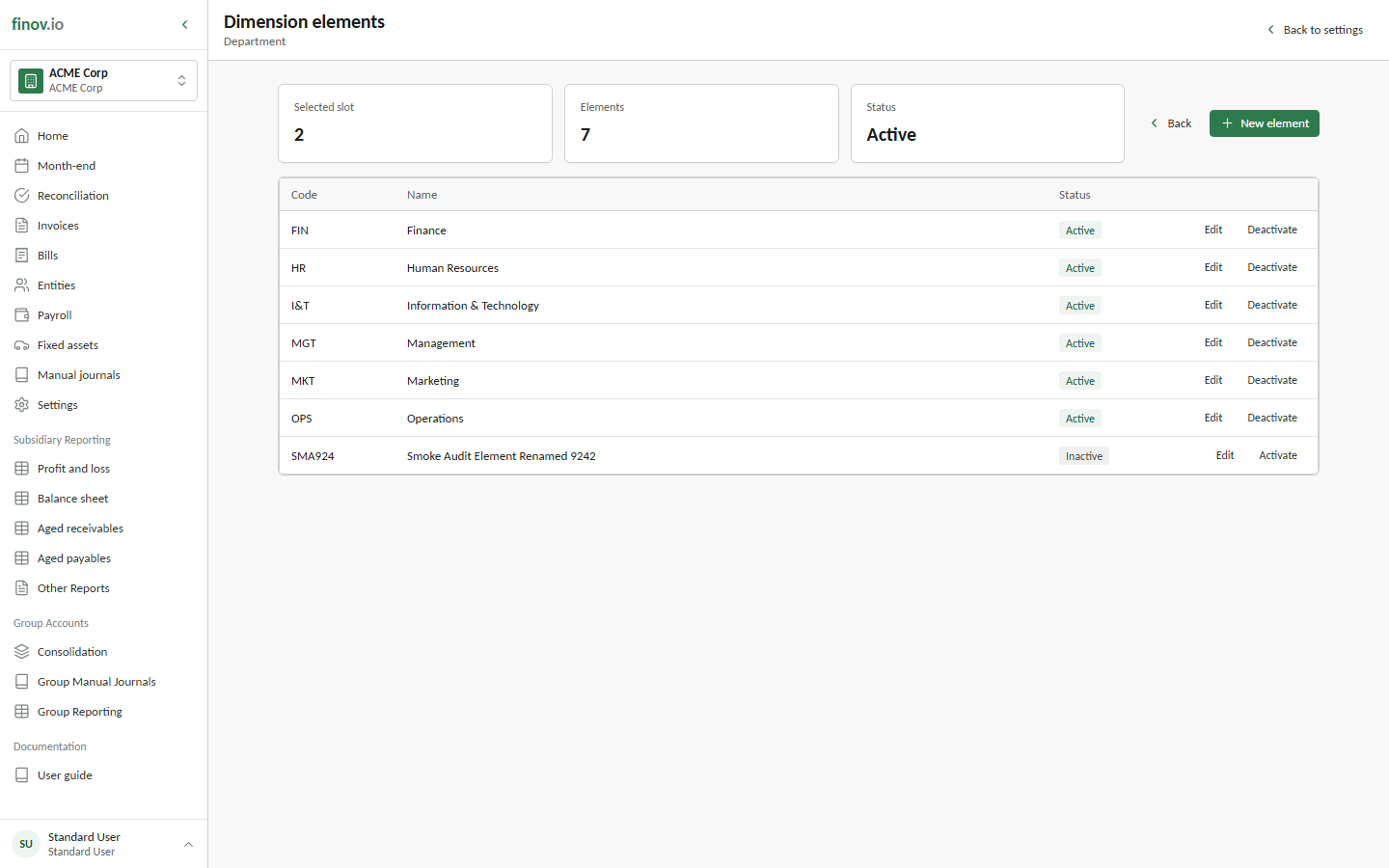
A dimension is a category (e.g. "Department"). Each dimension has a list of elements, the actual values you tag against (e.g. "Sales", "Operations", "Finance"). You can configure up to ten dimension categories per subsidiary, and any line-level posting (a manual journal line, a reconciliation rule allocation) can be tagged against as many of them as apply.
Select Manage elements beside a dimension to review its values.
Adding and editing elements
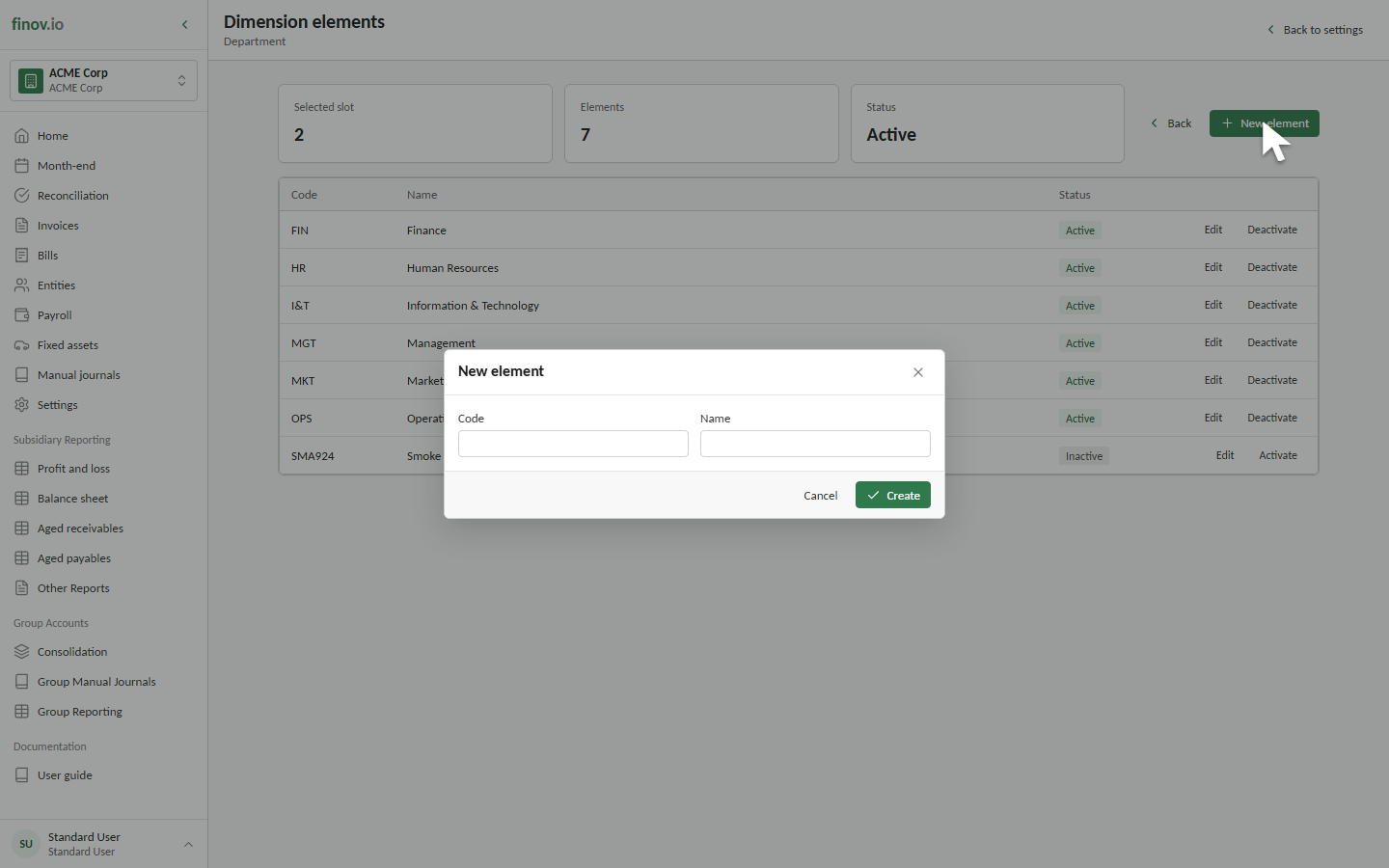
Select New element and enter a unique code and name. Codes contain two to six letters or numbers; names contain at least three characters. An element's code and name must each be unique within its dimension.
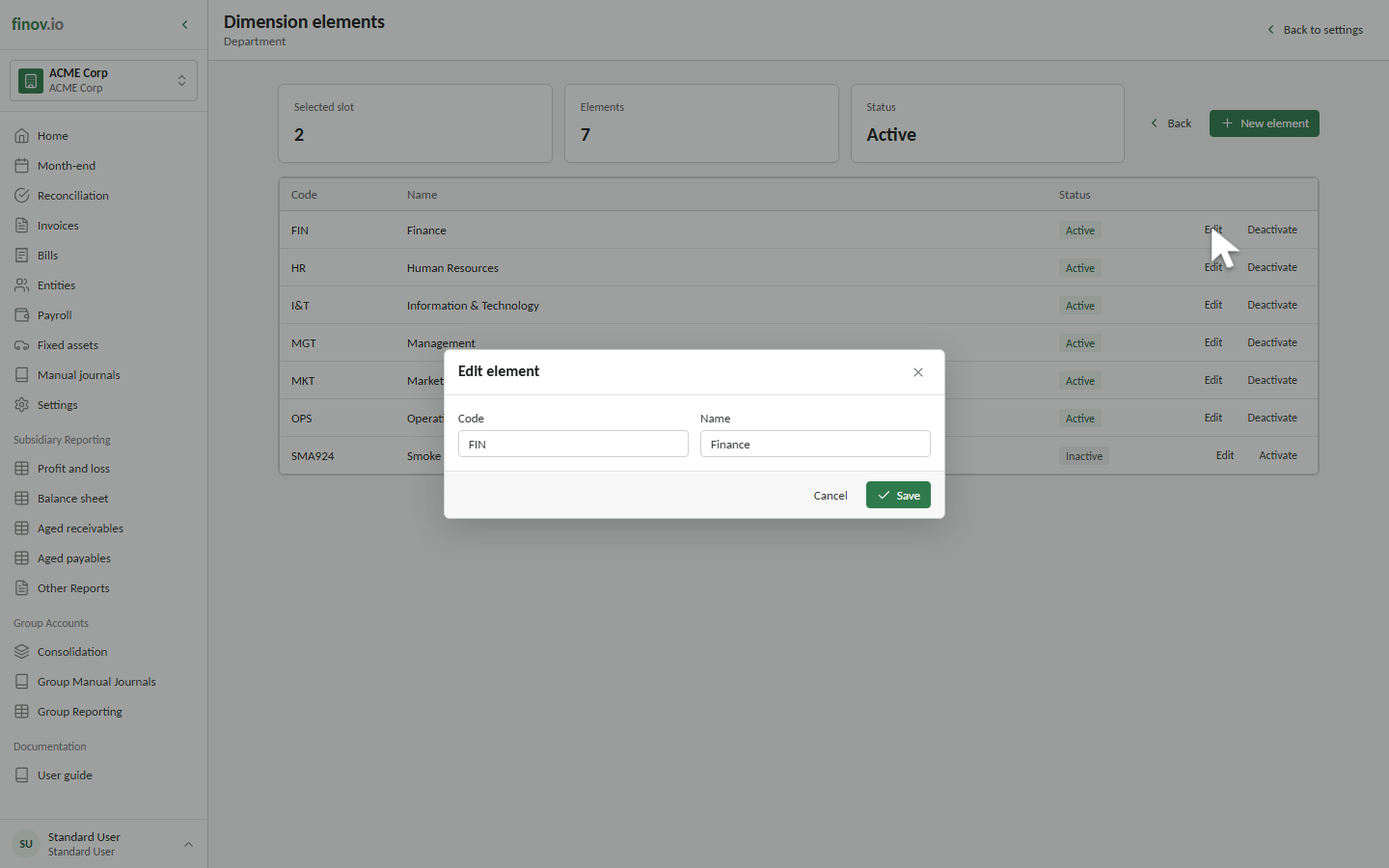
Select Edit beside an existing element to change its code or name. Historical references remain attached because Finovio identifies the element independently of its editable labels. Use Deactivate when an element should no longer be available for new postings; existing transactions retain their history.
Using dimensions on a transaction
Wherever you can select an account, you can typically also select values for the configured dimensions on that line. Dimension values must resolve to an active element for the subsidiary; an inactive or deleted element will fail validation on post.
Bank accounts and payroll employees can provide default elements. A bank-account default flows to reconciliation journal lines when that slot is otherwise empty, making dedicated property or project accounts useful for automatic coding. A reconciliation rule or value selected for the transaction takes precedence. Payroll follows the same default-and-override principle when employee dimensions flow into payroll journals.
Inheriting from a parent subsidiary
A child subsidiary can derive selected dimension slots from its parent rather than maintaining every slot locally. Check this under Subsidiary details.
An inherited slot and its elements are read-only in the child subsidiary. Create, edit, activate, or deactivate them in the parent subsidiary instead. The child must have a parent and no local dimension in a slot before inheritance can be enabled for that slot.
If inheritance is disabled later, Finovio clones the affected dimensions and elements into the child and remaps existing journal, invoice, reconciliation-rule, bank-account, and draft-journal references to the corresponding local elements. Subsequent changes are then local to that child.