Building a rule
Finovio Users Guide / Bank Reconciliation / Reconciliation Rules
Reconciliation rules automatically suggest how a recurring bank transaction should be coded, or pre-fill it when confidence is high, so you're not re-entering the same mapping every month.
In this guide
Where to find it
Reconciliation rules in the sidebar, or Rules from the Reconciliation screen.
Creating a rule
Every rule needs:
- A code and name to identify it
- A contact it applies to
- One or more conditions that decide which transactions match; see Conditions and allocations
- One or more allocations describing where the matched amount should post
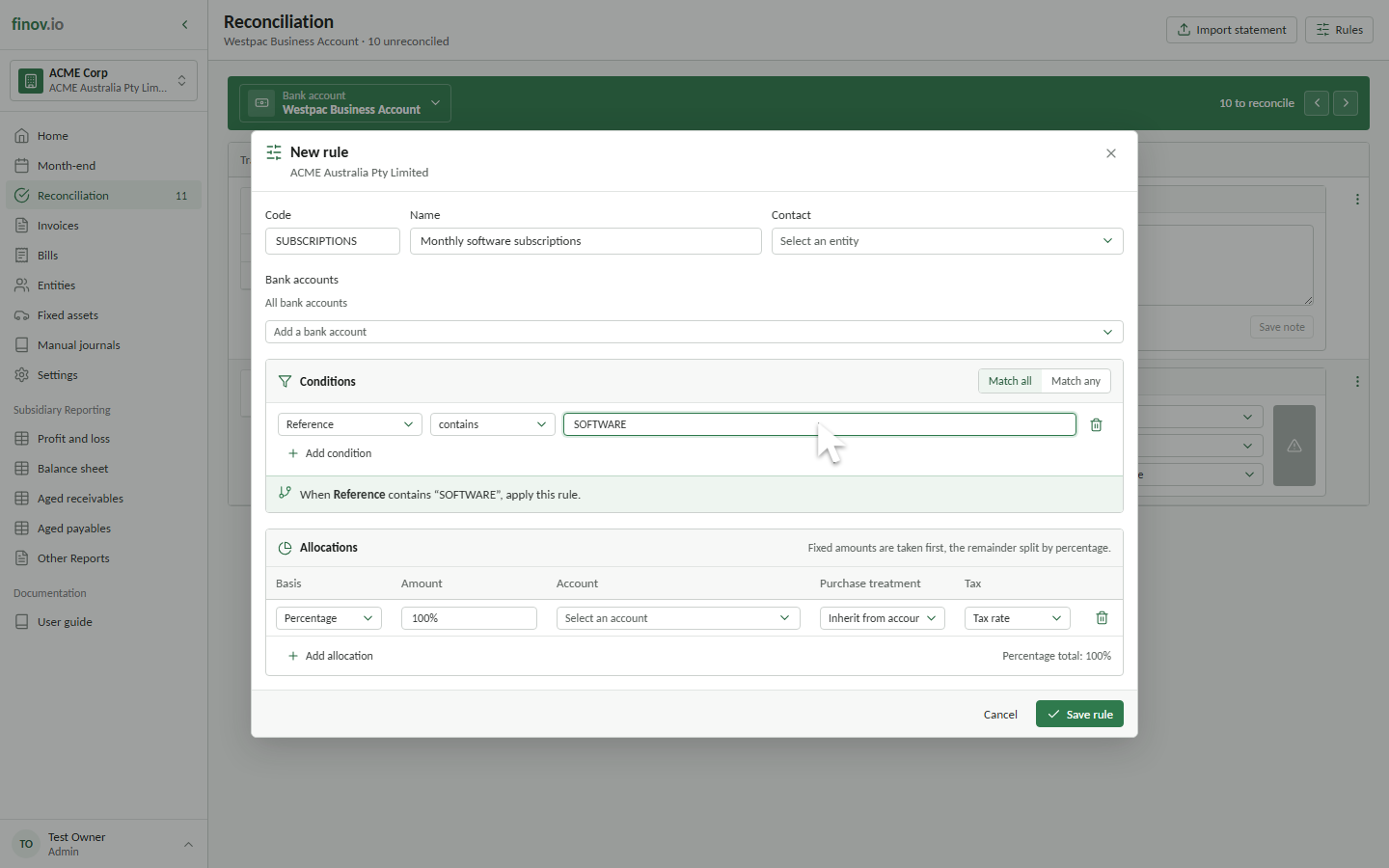
Creating a rule from a transaction
The fastest way to build a rule is from an actual transaction: open a transaction and choose to create a rule from it. Finovio pre-fills the rule's contact and a starting condition from the transaction's reference, so you only need to refine the match and set the allocation.
Turning a rule on or off
A rule can be paused without deleting it, if you want to stop it matching temporarily without losing its configuration.